Set up in five steps
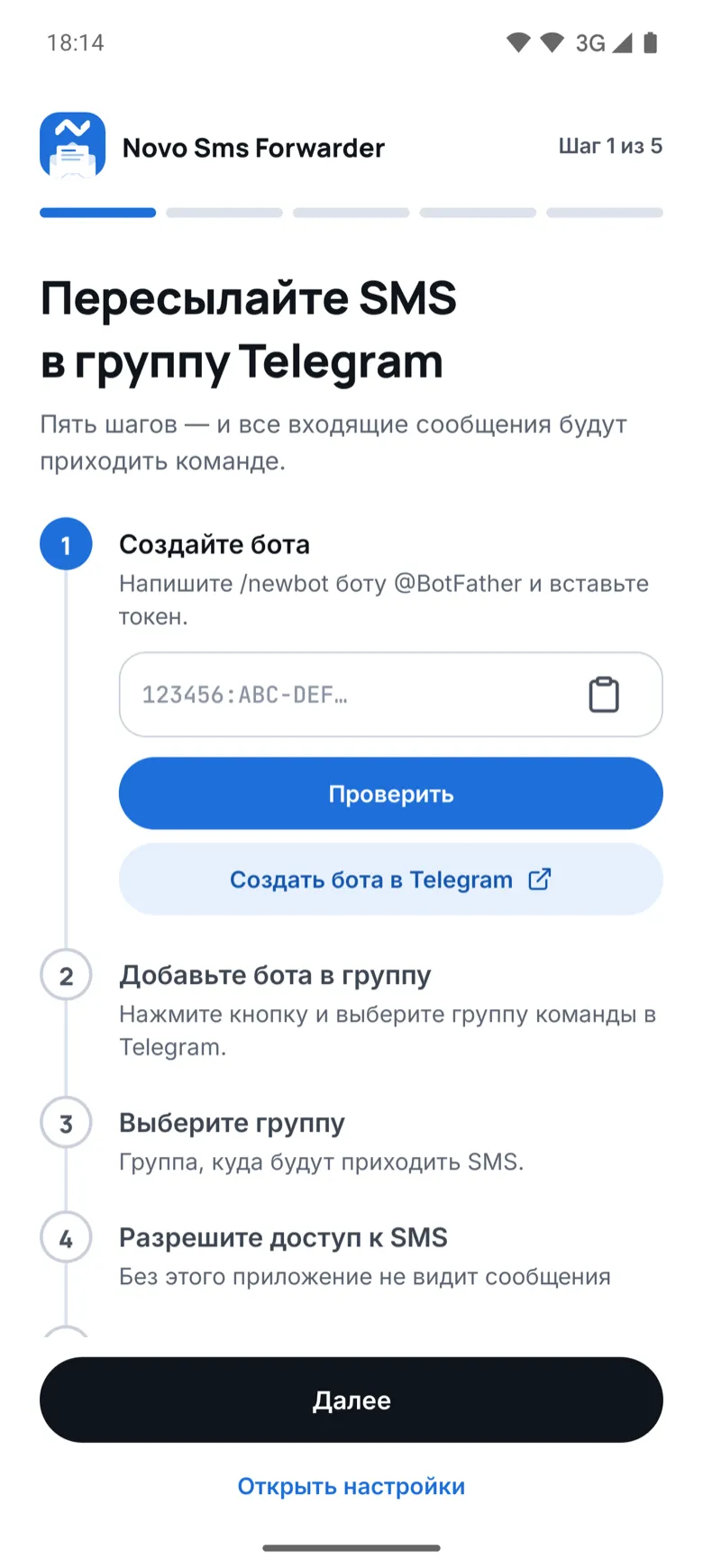
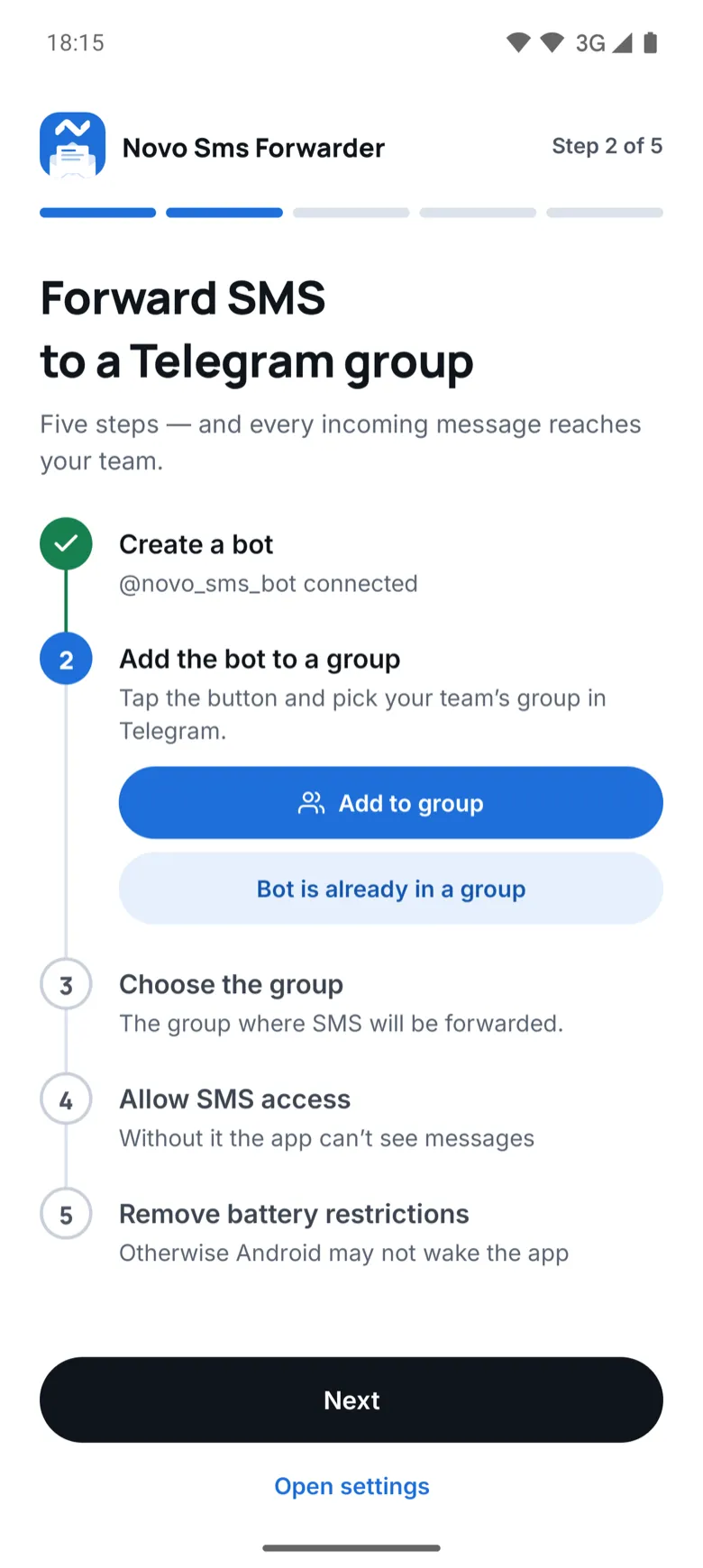
A wizard walks you through it: create a bot, add it to a group, pick the group, allow SMS access and lift battery limits. The app finds the group on its own and sends a test message there.
Every incoming SMS lands in your Telegram group right away: sign in codes, bank alerts, messages from services. The phone can sit in a drawer while anyone who needs the code sees it.
Free2.2 MB · Android 7 and later
0
ads or paid features
5
setup steps
100
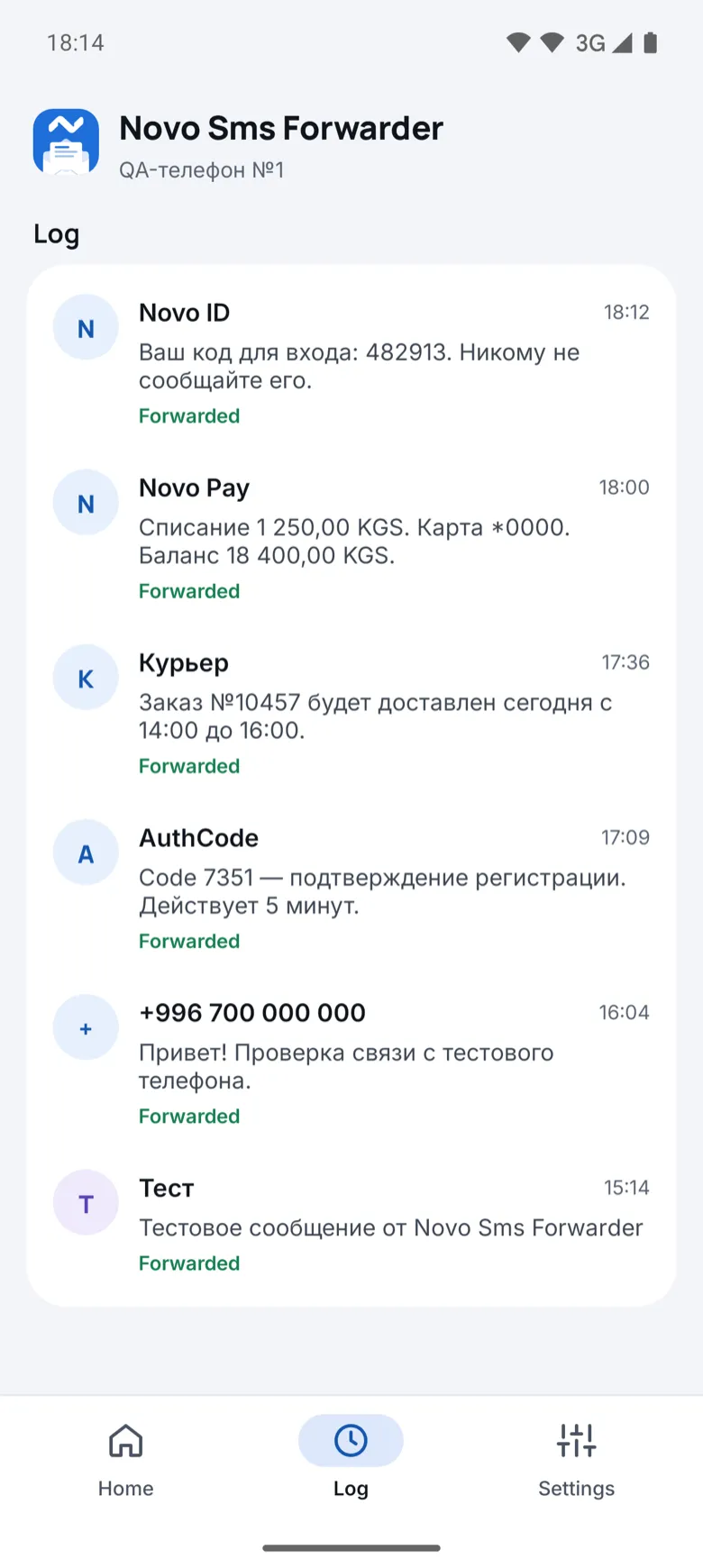
latest SMS in the log
1
tap to copy a code
An SMS lands on the phone and a moment later the same message shows up in the group. The code stands out and copies with a tap right in Telegram.
Anywhere SMS arrive on one phone but more people than its owner need to read them.
No more passing the test phone around: the whole team sees sign in codes for test accounts.
The company number that gets codes from the bank, marketplaces and government services. The right person gets the code without bothering anyone else.
Leave the phone with your local SIM at home and get its SMS in Telegram wherever you are.
Account debits and credits reach whoever manages the money, like an accountant or a partner.
A wizard walks you through it: create a bot, add it to a group, pick the group, allow SMS access and lift battery limits. The app finds the group on its own and sends a test message there.
The app finds the code in the text. Copy it with one button, or open the message in Telegram or Messages.
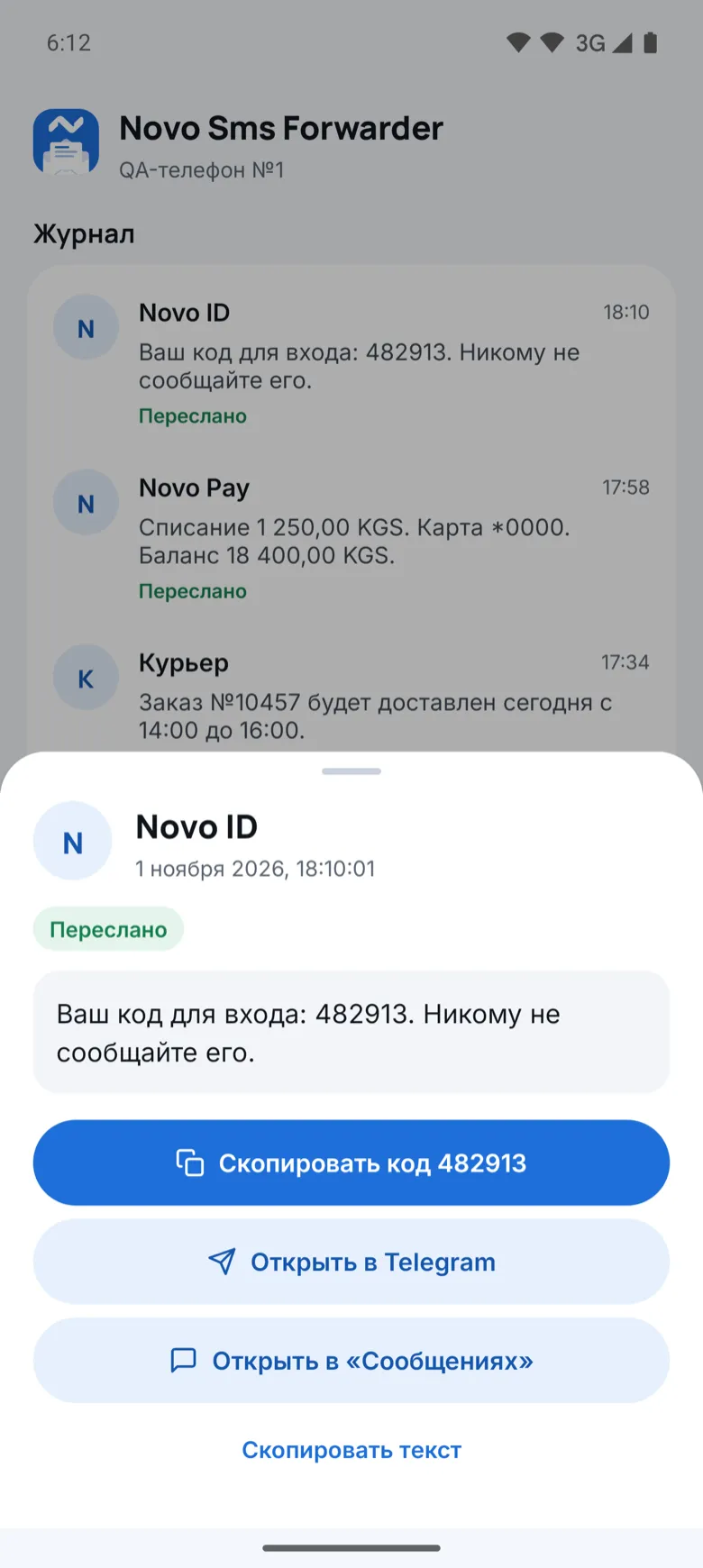
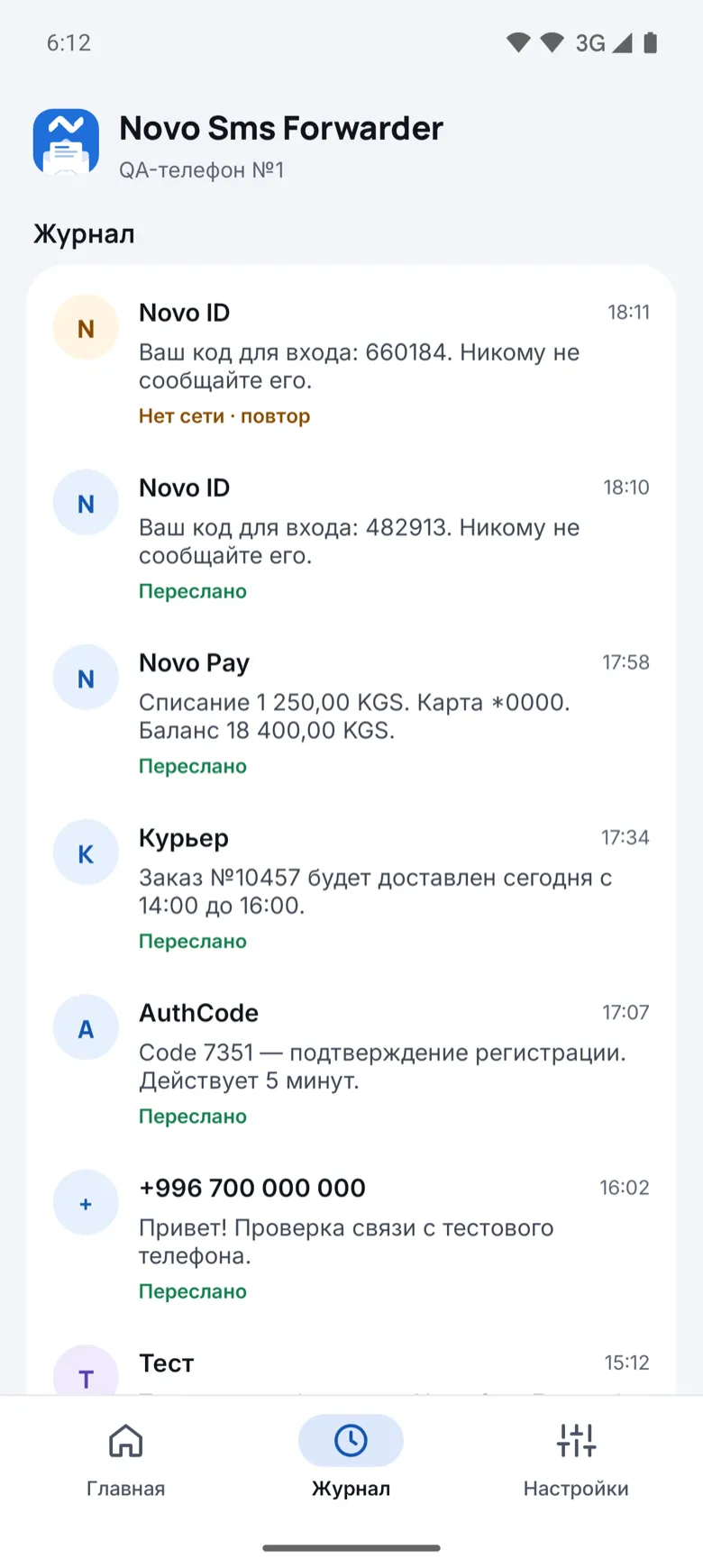
No network, or the phone restarted? The message waits and goes out as soon as the connection is back.
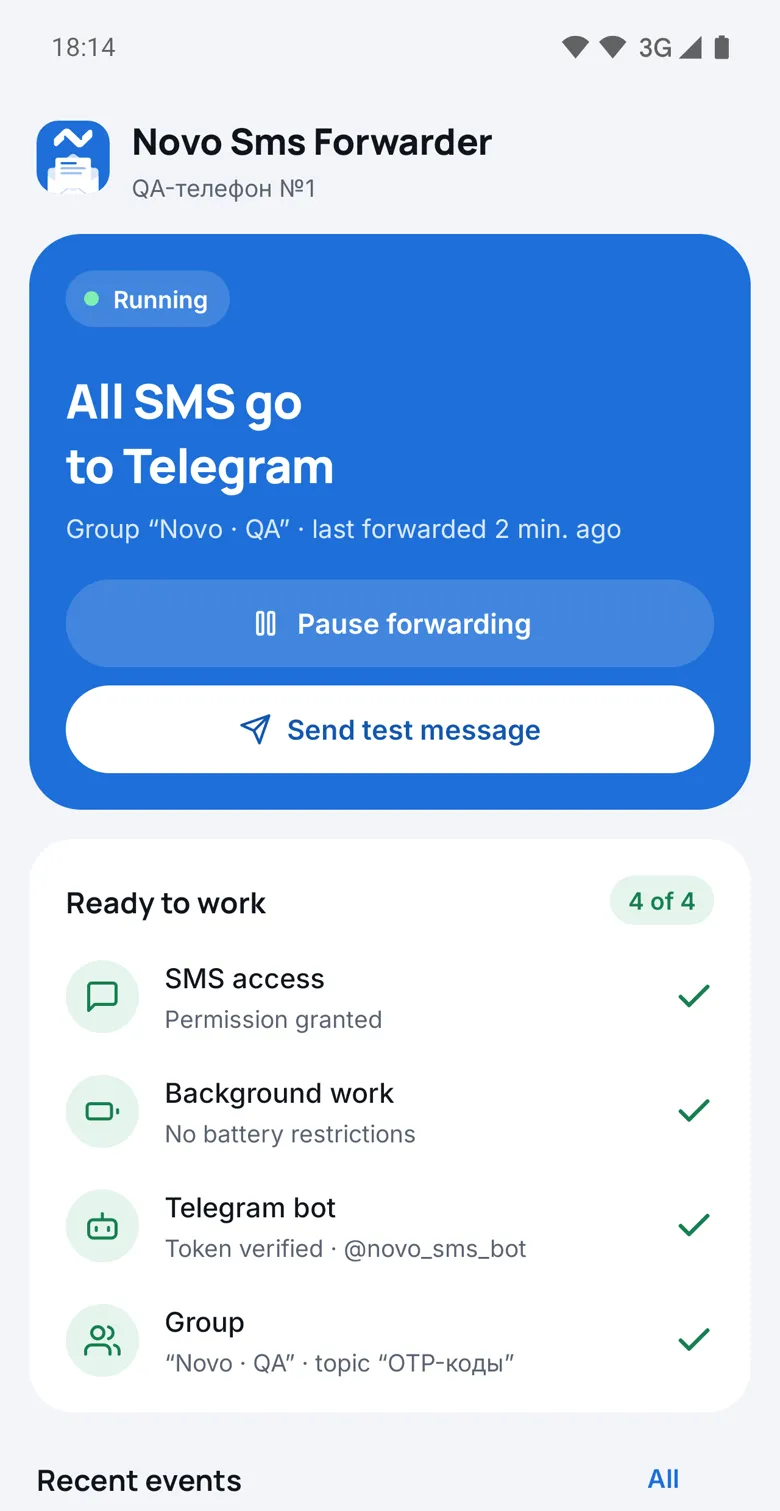
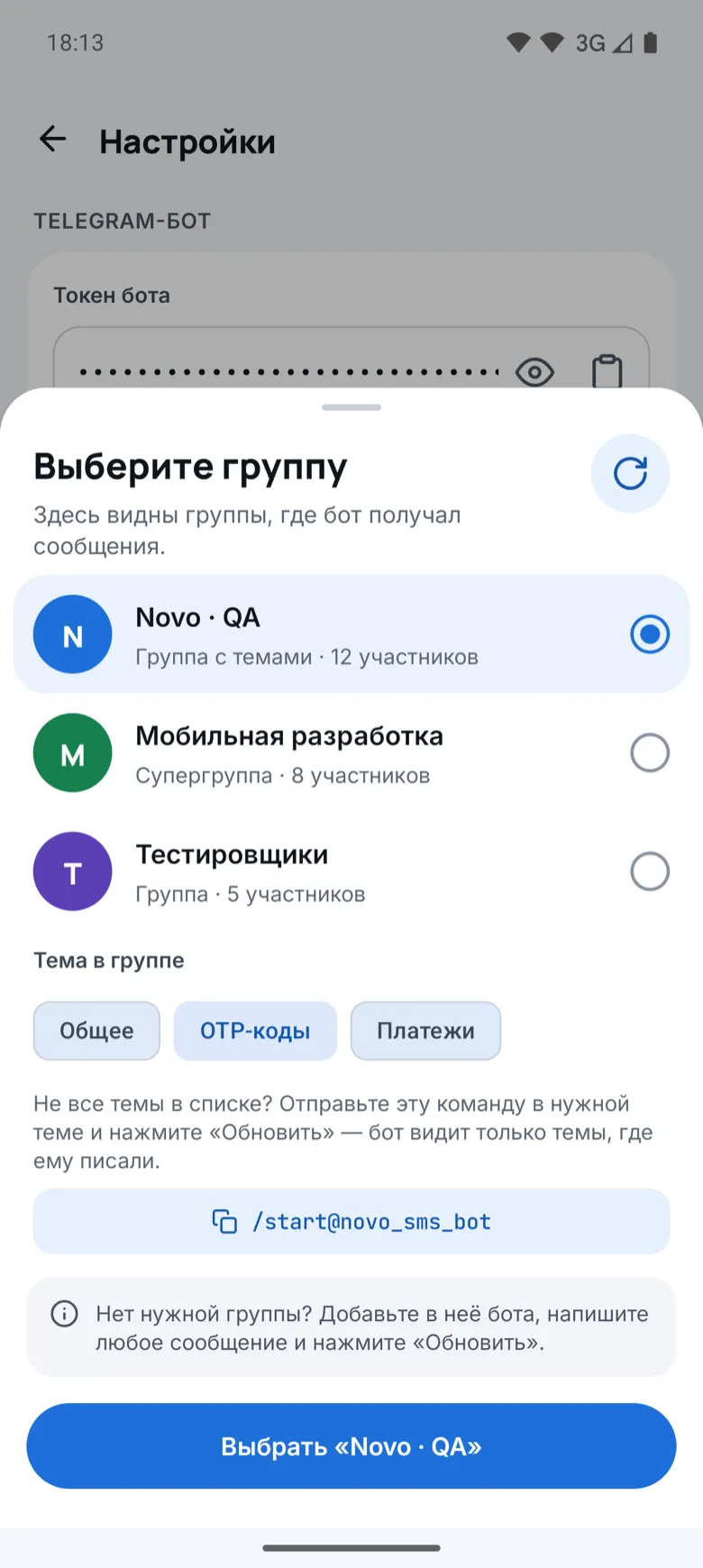
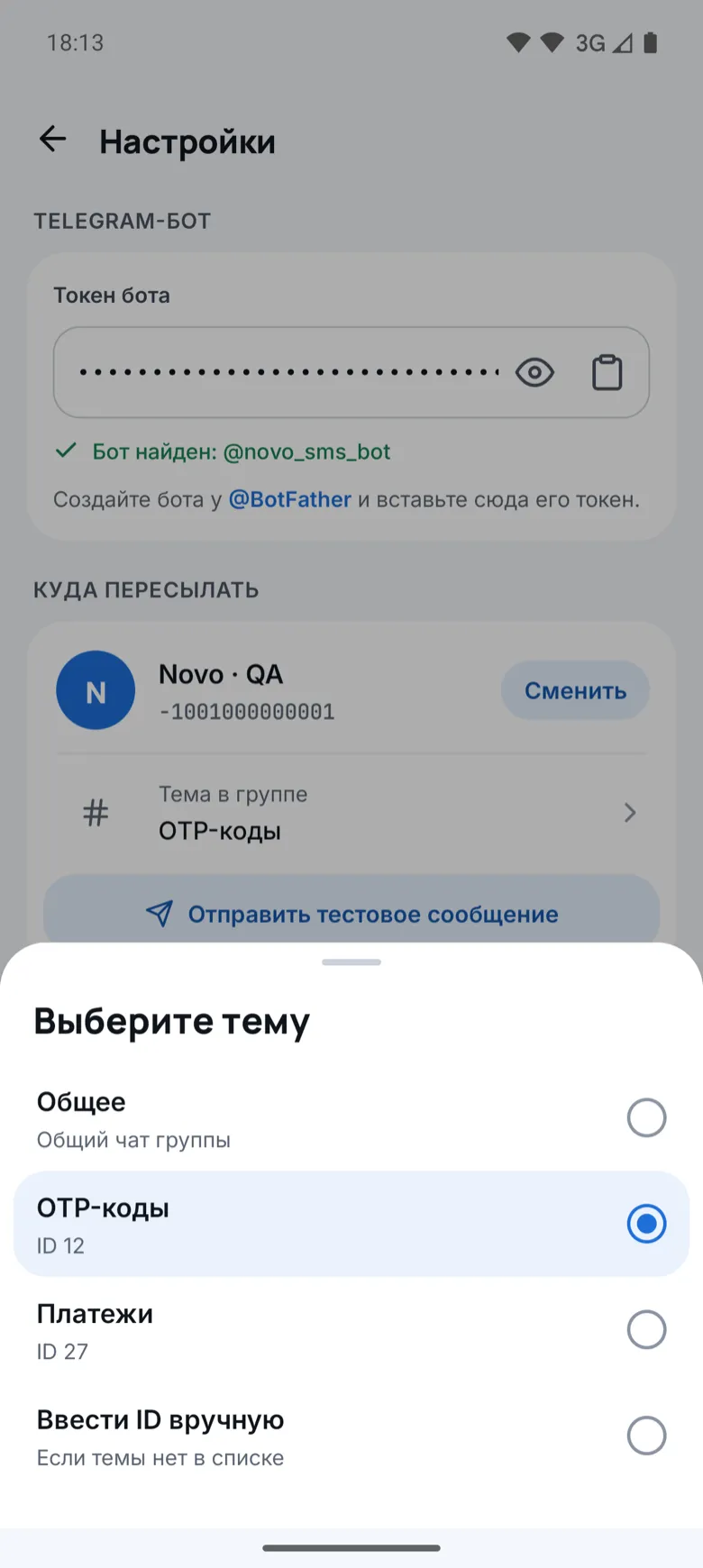
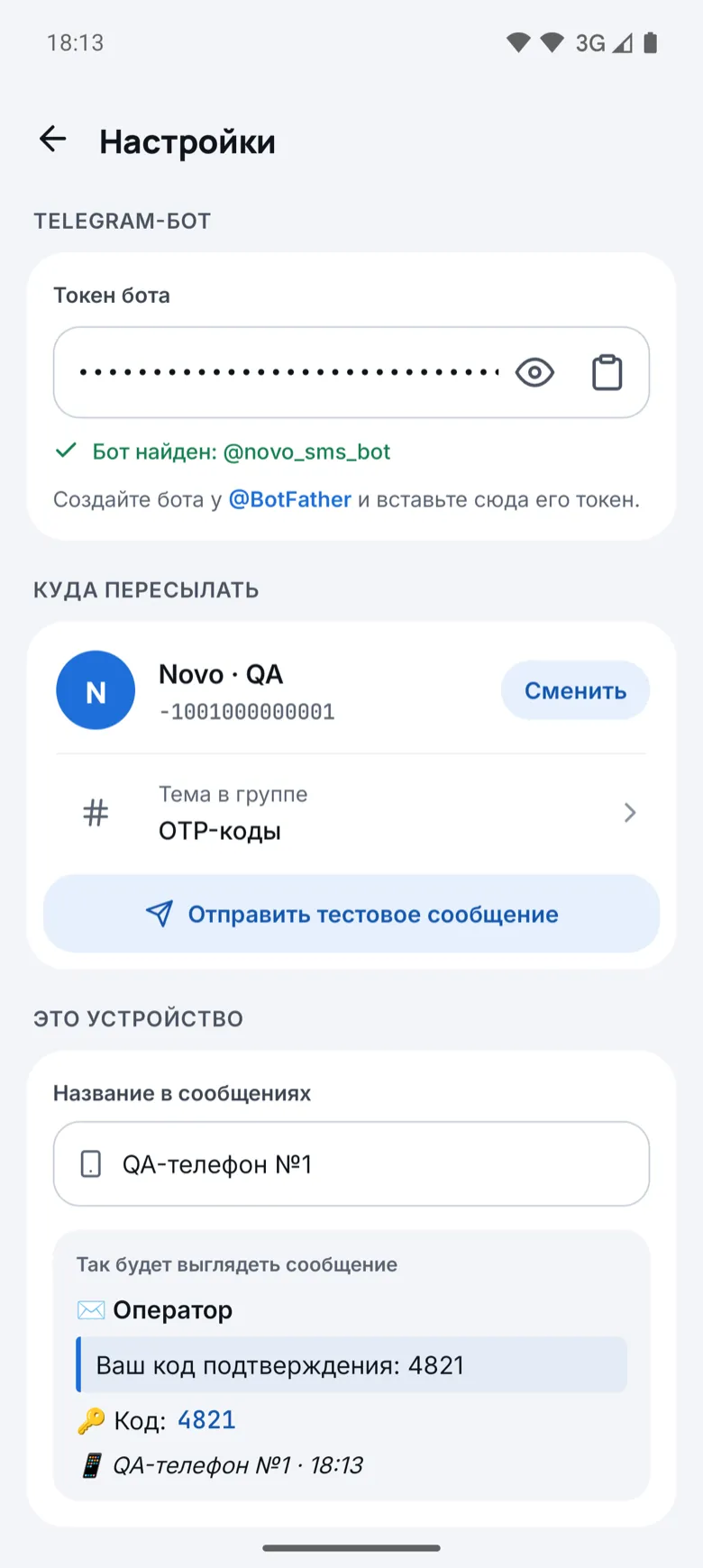
A list of groups the bot is in and the topics inside them. Send codes to their own topic so they stay out of the way. Every message shows which phone it came from.
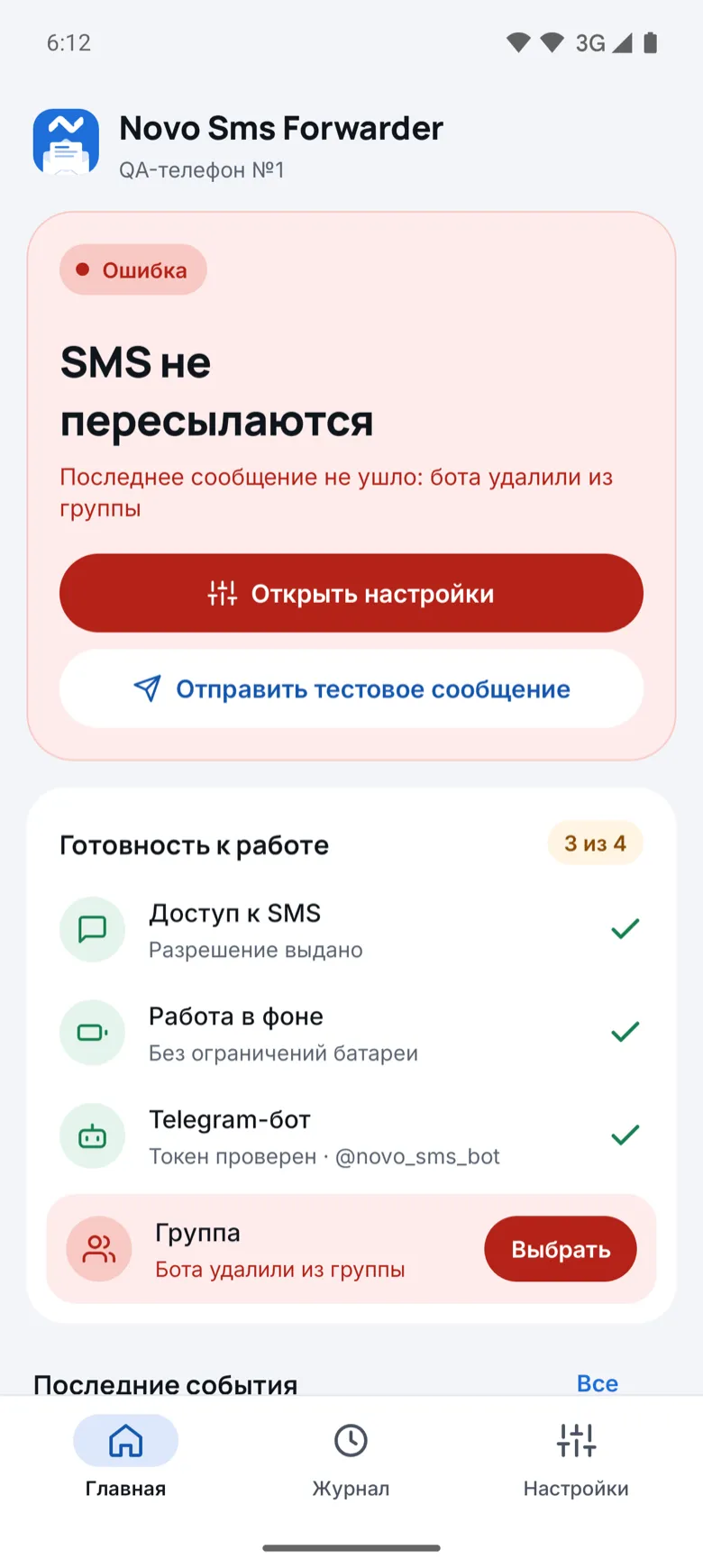
The main screen shows the status and a readiness checklist. If the bot was removed from the group or SMS access is gone, the app says exactly what broke and where to fix it.
The message shows which SIM the SMS came to.
A message sent in several parts arrives as one.
Turn forwarding off with one button and back on.
Check that everything works without waiting for a real SMS.
With several phones, the group sees where each message came from.
Forward any message from the log once more.
Follows the phone language, or pick one in settings.
Regular groups, supergroups and forums with topics.
The app sends messages straight to your own Telegram bot. We have no servers your messages go through and no access to your SMS.
The app is distributed as a file from this site. Installing takes a couple of minutes.
Download APK forAndroidOpen this page on the Android phone that receives the SMS and tap Download APK for Android.
Open the downloaded file. If the phone asks, allow installs from this source, such as your browser.
On Android 13 and later, SMS access is blocked for apps from outside the store. Open Settings → Apps → Novo Sms Forwarder → ⋮ → Allow restricted settings.
Create a bot with @BotFather, add it to a group, allow SMS access and lift battery limits. The app guides you through each step.
On Xiaomi, Huawei, Honor and Samsung, also turn on autostart for the app, or the system may not wake it for new SMS.
Yes. The app is free, with no ads and no subscriptions.
No. Messages go from the phone straight to your bot in Telegram. Nothing passes through our servers.
No. An Android phone and a Telegram account are all you need.
Android phones with a SIM card, Android 7 and later. It does not work on iPhone: iOS does not let apps read SMS.
The SMS stays in the log and goes to Telegram automatically once the network is back, even after a restart.
Yes. In groups with topics you can pick one, like OTP codes, so codes do not get lost in the main chat.
Google Play hardly lets in apps that read SMS. So we share the APK from this site.
Message us on Telegram. We build tools and apps like this to order.
Free2.2 MB · Android 7 and later